Cadenza — Concert Project
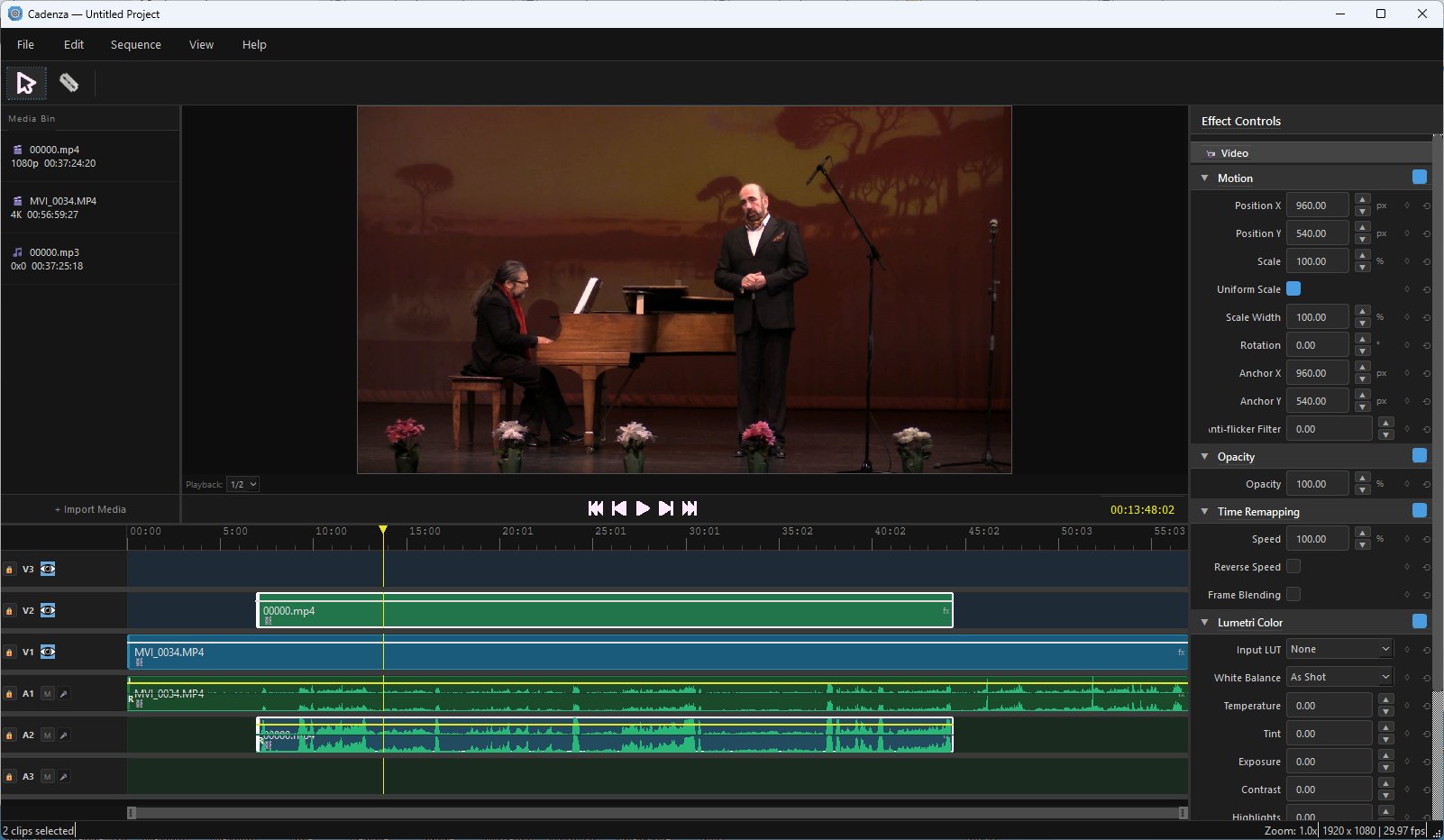
A video editor for the stage
Multi-camera editing for concerts and performance. Sync your angles by their own audio, cut, grade and export with your NVIDIA card — and open the Premiere projects you already have.
Download and run. No Python, no conda, no dependencies.
Future builds included · 15 days of help getting it running.
Drop in every camera and let Cadenza align them by their own audio — FFT cross-correlation, accurate to the frame. No clapperboard needed, no nudging clips by hand.
Export a sequence from Premiere as XML and Cadenza opens it complete: tracks, cuts, in and out points, motion, opacity, audio levels and keyframes. A 163-clip concert imports in seconds. It writes the format back out, too.
Compositing runs on CUDA and export uses NVENC, so a finished concert renders at roughly the speed it plays — even with 4K angles stacked on a 1080p timeline.
Runs without an NVIDIA card, but compositing and export are much slower.
If it will not run on your machine and I cannot get it going,
email within 14 days for a refund.
Cadenza.exe and everything it needs.
Extract it anywhere and run — nothing is installed into Windows.PySide6 for the interface, PyTorch on CUDA for compositing, PyAV for decode and encode. Clone it, read it, run it from source with conda.
Source on GitHub →